
Printers & Thermal Paper
Media is ordered by printer model. The two printers do not share consumables.
Free shipping across the USA.
Not sure which media?
Printers & Thermal Paper catalog

TDP-225 Thermal Printer
Direct thermal, media to 2.25″ wide, RS-232. Ships with a 9 V adapter and an RS-232 cable.
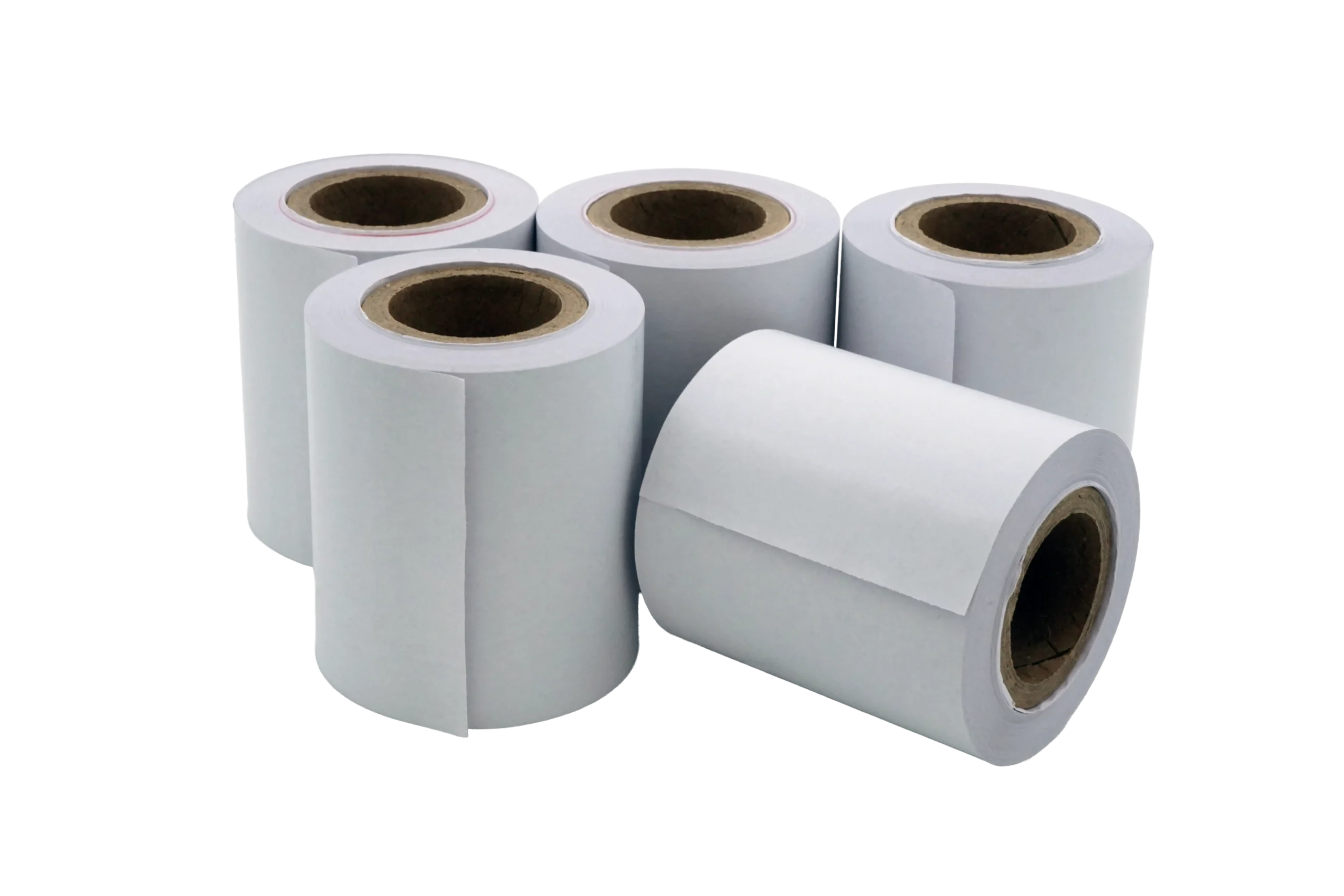
Thermal Paper Rolls, TDP-225
Five rolls, 2.25″ × 118 ft. For weight tickets and receipts.
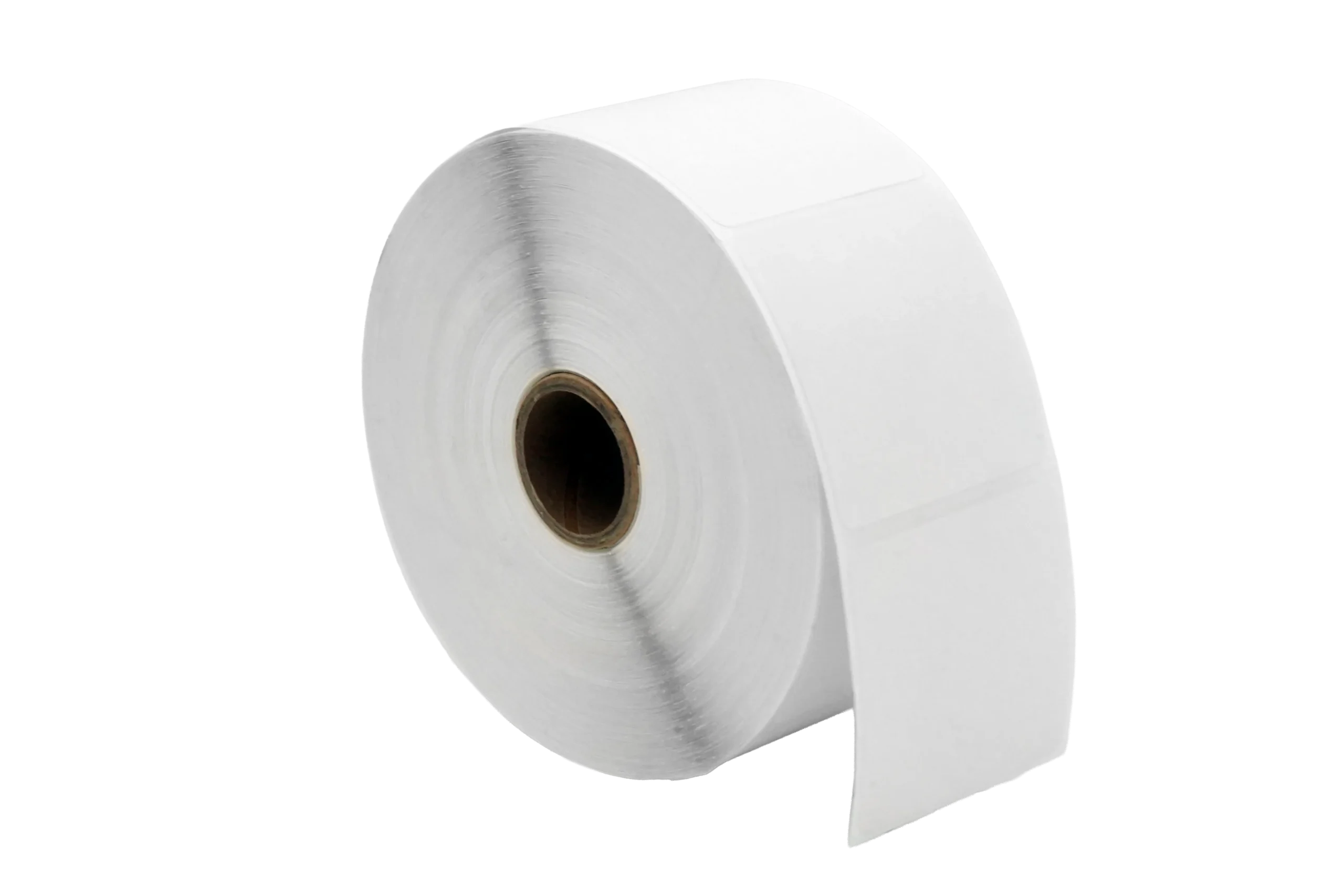
Thermal Labels, TDP-225
One roll of 1,250 die-cut 2 × 2″ labels. The lowest cost per label in the range.
Thermal Paper Rolls, MP-20
Five rolls for the MP-20. Not interchangeable with the TDP-225 rolls.

Thermal Labels, MP-20
Five rolls of 2 × 2″ labels, 280 per roll, for the MP-20.
Custom & OEMWe also build the ones that aren’t in any catalog. Learn more
A printer is the end of the chain. Something has to send it a weight.
The TDP-225 takes RS-232, and every Transcell indicator has an RS-232 port already. These are the parts between the scale and the paper.
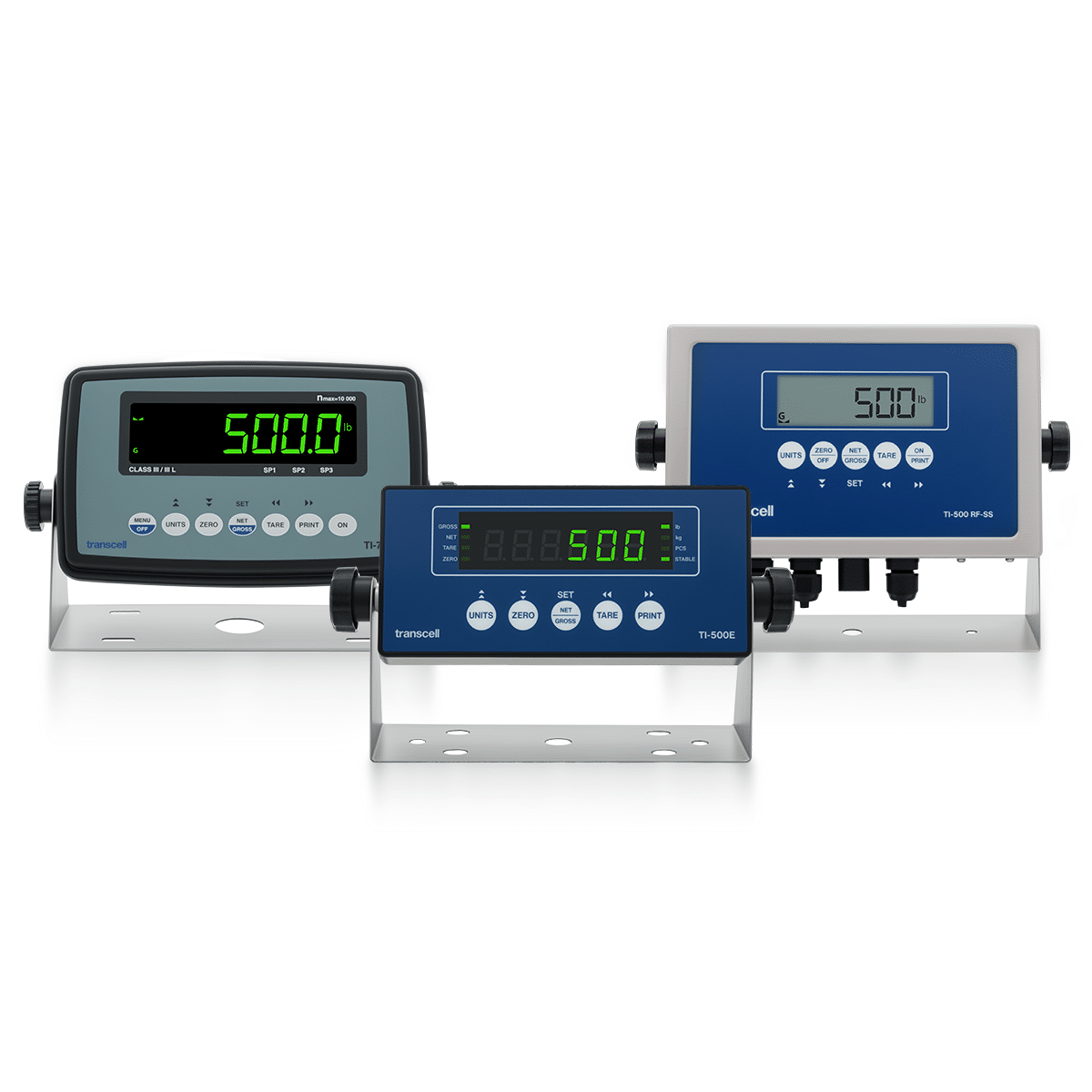
Digital Indicators
RS-232C is standard on every model, so an indicator can drive a printer without any option module at all.
View products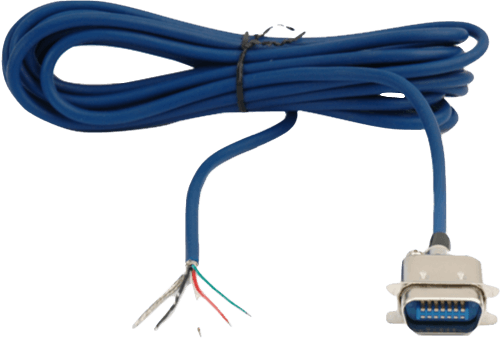
Cables
The TDP-225 ships with its cable. The MP-20 takes the DB9 to DIN lead, which is a different part.
View products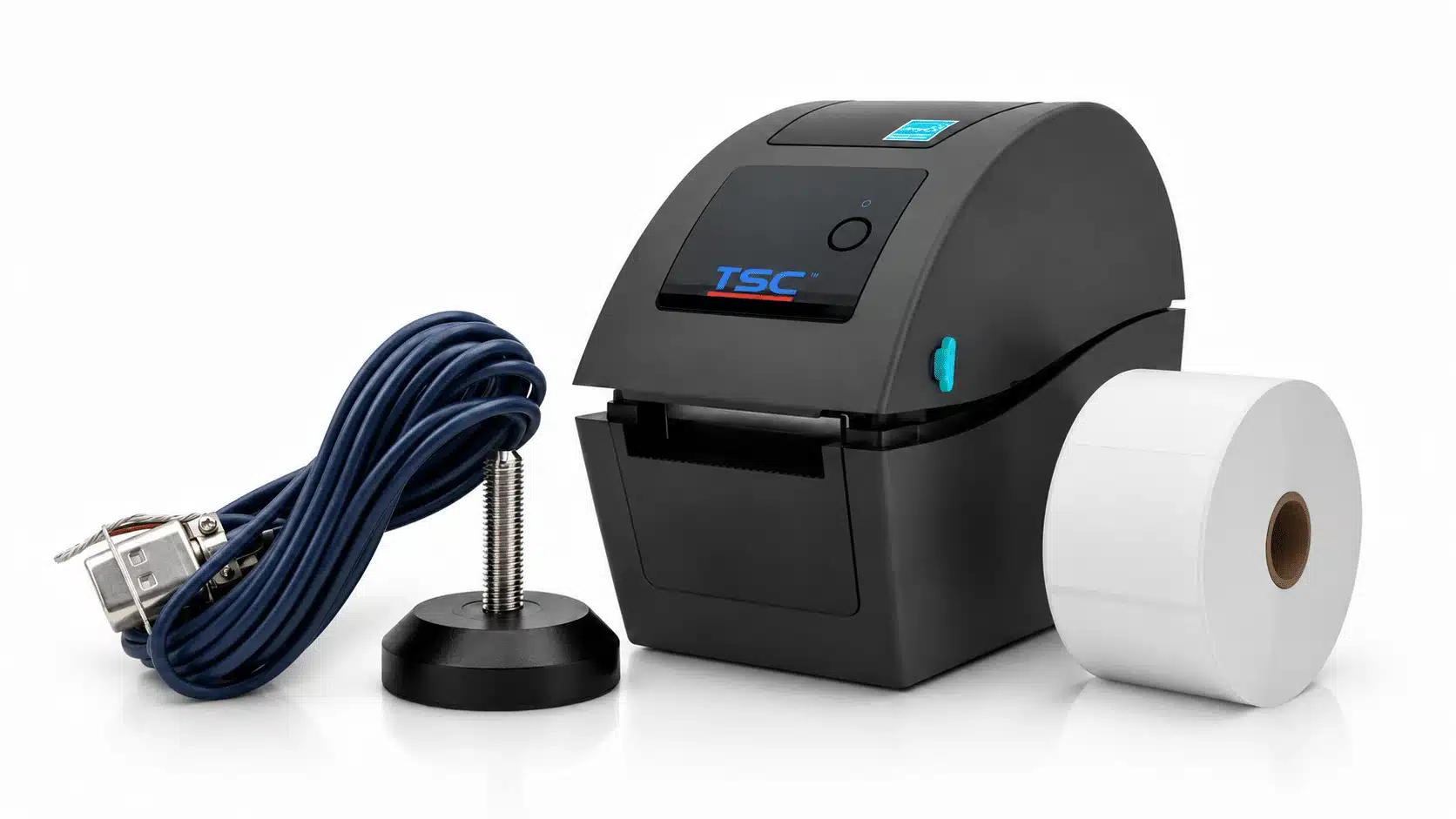
Indicator Accessories
Time and date on the ticket is a firmware option, not a printer setting. So is a second serial port if the printer has to stay connected.
View productsWhy Transcell. Ordered like a store, backed like a partner.
Free 2-day shipping
Paper and labels ship free in two days anywhere in the USA, with no minimum order.
Ships worldwide
International orders ship at FedEx live rates: what FedEx charges is what you pay.
Warranty backed
Every product ships with a manufacturer warranty, supported from the US by the people who built the scale it prints from.
Custom when you need it
A label size, a ticket layout or a print format that is not standard is ordinary work for us rather than a special request.
Printer and media reference
Two printers, four consumables, and a compatibility rule that is stricter than the dimensions suggest. Below: how to choose between paper and labels, what direct thermal printing actually does and why the print fades, a table that turns a printer into a part number, the five parts side by side, and the vocabulary on a media spec.
How to choose media. By printer model, never by size.
The single rule on this page is that media is model-specific. The dimensions on the two paper rolls are identical and they are still declared incompatible, so measuring what is in the printer is not a safe way to reorder.
Which printer do you have?
Start here, because it decides all four consumable choices and there is no partial credit.
Every media page in this range carries the same warning in capitals: NOT COMPATIBLE WITH MP-20 PRINTERS, or the reverse, and each one names the part to order instead. That is unusually helpful labelling and it exists because the mistake is evidently common.
What makes it worth reading twice is that the two paper rolls have identical published dimensions. Both the TDP-225 roll and the MP-20 roll are given as 2.25″ × 118 ft, 57 mm × 36 m. Same width, same length, different part numbers, and each declared incompatible with the other printer.
Identical dimensions with declared incompatibility usually means a difference the dimensions do not capture: core diameter, roll outside diameter, or which face of the paper carries the thermal coating. Any of those will stop a roll working in the wrong printer even though it physically fits the holder. The printers' own specifications show where they differ: the TDP-225 takes outside-wound media on a 1 to 1.5 in core, up to 5 in across, while the MP-20 is built around a 57 mm wide roll about 57 mm across.
The practical consequence: reorder by printer model and part number, never by measuring the roll. The measurement will tell you the two are the same, and it will be wrong.
Paper or labels?
This is the easier decision, and it comes down to where the printed weight ends up.
Paper rolls print continuous receipts and weight tickets: the document that goes with a delivery, into a file, or to a customer. Both printers take a 2.25 inch roll, and at $20 for five rolls the running cost is negligible.
Labels are die-cut and adhesive, at 2 × 2 inches, and they are what you want when the weight has to travel with the item: a bin label for counted stock, a pallet label, or a barcode a scanner picks up later. The TDP-225 is described as printing text and bar codes, so a label can carry a scannable part number alongside the weight.
The cost comparison is worth doing once, because the two label products are packaged very differently. The TDP-225 labels are one roll of 1,250 labels at $26, which is about 2.1 cents each. The MP-20 labels are five rolls of 280, so 1,400 labels at $45, or about 3.2 cents each.
That is a real difference at volume, and it is one of the few places in this catalog where the consumable cost, rather than the hardware cost, is the argument for a particular printer.
What does the printer need to receive a weight?
The TDP-225 has an RS-232 interface, and RS-232C is standard on every Transcell indicator. So in the common case the answer is that nothing extra is required: the port exists at both ends and the printer ships with its RS-232 cable and a 9 V adapter in the box.
Three situations change that. If the indicator's only serial port is already occupied by a PC or a remote display, you need a second RS-232 module. If the run is long, between buildings, or passes near large drives, you want the isolated version. And if the printer is driven from an MP-20 rather than a TDP-225, the lead is the DB9 to DIN cable, which is a different part.
The other thing worth deciding before ordering is the output mode. An indicator sends either on demand, when PRINT is pressed, or continuously. A printer wants demand mode; a remote display wants continuous. This is configured on the indicator rather than detected by the printer, so it is a setting to get right at commissioning rather than a fault to chase afterwards.
And if the ticket has to carry a timestamp, that is neither a printer feature nor a cable: it is the Time / Date / Print Formats firmware option on the indicator.
How long does a thermal print last?
Both printers here are direct thermal, which is worth understanding because it has a real operational consequence.
Direct thermal printing uses chemically treated paper that darkens under heat. There is no ink and no ribbon, which is why the running cost is low and why there is nothing to replace but the media itself. The print head simply heats the paper where the image should be.
The trade is permanence. The same chemistry that responds to the print head also responds to heat, sunlight, friction and solvents. A ticket left on a dashboard in summer, a label on a drum in direct sun, or a receipt that meets a cleaning chemical will fade, sometimes to blank, and the timescale can be months rather than years.
The practical rules that follow are simple. Do not use a direct thermal print as the archive copy. If a weight ticket has to be kept for records, scan it, photograph it, or log the weight over the serial port at the same time it is printed. Store spare media in its packaging, away from heat and light, because unused rolls age too.
For a label that genuinely has to survive outdoors for years, direct thermal is the wrong technology and thermal transfer with a resin ribbon is the right one. That is a different class of printer, and worth saying so rather than selling media that will disappoint.
Is a printer the right answer at all?
Worth asking, because a printer is often bought to solve a data problem it is not the best answer to.
If the weight has to reach shipping software, an ERP or a database, printing it and typing it back in is a slow, error-prone route. The same RS-232 port that drives the printer will drive a PC directly, and if the destination is a network application, a USB, Ethernet or Wi-Fi module puts the reading into software without paper in the middle.
A printer earns its place when the paper itself is the point: a ticket that travels with a delivery, a label a scanner reads later, a record a driver signs, or a legal-for-trade transaction where a printed weight is part of the paperwork.
The two are not exclusive, and the best installations often do both: print the ticket for the driver and log the weight to the system at the same time. That is exactly the case where a second serial port becomes worth its price, because one port drives the printer and the other feeds the software.
From weight to paper. Five steps, and where each one is configured.
Nothing here is automatic. Every step is a decision made at commissioning, which is why a printer that prints the wrong thing is almost never a printer fault.
01
The indicator captures a weight
A stable reading, within the motion band. A legal-for-trade instrument will not print an unstable weight at all, which is a feature rather than a fault.
02
PRINT sends a line
Demand mode sends when the key is pressed; continuous mode streams constantly and would waste a roll. Configured on the indicator, not detected by the printer.
03
RS-232 carries it
Standard on every Transcell indicator. The TDP-225 ships with its cable; the MP-20 takes the DB9 to DIN lead instead.
04
The print head heats the paper
Direct thermal: chemically treated paper darkens under heat. No ink, no ribbon, nothing to replace but the media.
05
The image fades, eventually
The same chemistry responds to heat, sunlight and solvents. Fine for a delivery ticket, wrong for an archive copy.
The step that causes most support calls is the second one. An indicator left in continuous mode feeds paper endlessly, and an indicator in demand mode that appears to do nothing is usually configured for a different baud rate than the printer expects. Both are settings on the instrument rather than faults in the printer.
Which part do you need? Printer model first, then paper or labels.
Every row here is decided by which printer you have. Nothing in the top four rows crosses between the two machines.
| If you have | Order | Why |
|---|---|---|
| A TDP-225 and you print weight tickets | Paper rolls, TDP-225 $20 | Five rolls of 2.25 inch continuous paper. The MP-20 roll has identical published dimensions and is still declared incompatible, so order by part number. |
| A TDP-225 and you print bin or pallet labels | Labels, TDP-225 $26 | One roll of 1,250 die-cut 2 x 2 inch labels, about 2.1 cents each. The lowest cost per label in this range by a clear margin. |
| An MP-20 and you print weight tickets | Paper rolls, MP-20 $20 | Five rolls for the MP-20. Its own page names the TDP-225 part to order instead if you have the other printer, which is worth checking before you buy. |
| An MP-20 and you print labels | Labels, MP-20 $45 | Five rolls of 280, so 1,400 labels, at about 3.2 cents each. More labels in the pack than the TDP-225 roll, and dearer per label. |
| No printer yet, and you want tickets and barcodes | TDP-225 printer $250 | Direct thermal to 2.25 inches, RS-232, and it ships with the adapter and cable in the box. Its label media is also the cheaper of the two per label. |
| A printer but no way to connect it | An RS-232 cable | The TDP-225 includes one. The MP-20 needs the DB9 to DIN lead. Neither needs an option module, because RS-232 is already standard on every indicator. |
| An indicator whose serial port is already in use | A second RS-232 module | A port rather than a cable, fitted inside the instrument. Needed when a printer and a PC both require a permanent connection. |
| A requirement for the time and date on the ticket | Time / Date / Print Formats | A firmware option on the indicator, not a printer setting. This is usually what is really wanted behind a request for the ticket to print properly. |
| A need to archive weights for years | A data interface | Direct thermal print fades with heat and light, so it is the wrong medium for a permanent record. Log the weight over serial or a network module instead. |
The five parts, side by side. And what actually differs between the media.
Dimensions are as published on each product page. The two paper rolls are dimensionally identical and still declared incompatible, which the note below addresses.
| Part | SKU | Price | For | Specification |
|---|---|---|---|---|
| Printer | ||||
| TDP-225 Thermal Printer | PR001001, PR001002, PR001003 | $250 | Any RS-232 indicator | Direct thermal. Media to 2.25″ wide. Prints text and bar codes on labels or receipts. In the box: printer, 9 V AC adapter, RS-232 cable |
| TDP-225 media | ||||
| Thermal Paper Rolls, 5 pack | P391200931 | $20 | TDP-225 | 2.25″ × 118 ft (57 mm × 36 m). Explicitly not compatible with the MP-20 |
| Thermal Labels, 1 roll | DT200200P1-5 | $26 | TDP-225 | 2 × 2″ die-cut, 1,250 per roll. About 2.1 cents per label |
| MP-20 media | ||||
| Thermal Paper Rolls, 5 pack | P391200876 | $20 | MP-20 | 2.25″ × 118 ft (57 mm × 36 m). Explicitly not compatible with the TDP-225 |
| Thermal Labels, 5 pack | P391200877 | $45 | MP-20 | 2 × 2″ (51 × 51 mm), 280 per roll, 1,400 total. About 3.2 cents per label |
The two paper rolls carry the same published dimensions, 2.25″ × 118 ft, and are each declared incompatible with the other printer, so the difference must be something the dimensions do not record: core diameter, roll outside diameter or which face is coated. Until that is published, order by printer model and part number rather than by measuring a roll. The TDP-225 label media is also markedly cheaper per label, 2.1 cents against 3.2, which is worth knowing if label volume is high.
Printing terms, in plain language. What they mean on a media spec.
Show all 20 terms
- Direct thermal
- Printing by heating chemically treated paper so it darkens. No ink and no ribbon, which is why running costs are low and why the print fades over time.
- Thermal transfer
- The other thermal technology, which melts pigment from a ribbon onto the label. More consumables, far better permanence. Neither printer here uses it.
- Print head
- The row of tiny heating elements that darkens the paper. Its life is measured in kilometres of media, and abrasive or non-approved media shortens it.
- Die-cut label
- A label pre-cut to shape on a backing liner, so it peels off as a discrete rectangle. The 2 x 2 inch labels here are die-cut.
- Liner
- The backing paper a die-cut label sits on until it is peeled. It is what the printer's sensor uses to find the gap between labels.
- Continuous paper
- A roll with no gaps or cuts, used for receipts and weight tickets where length varies with content.
- Core
- The tube at the centre of a roll. Core diameter is one of the specifications that can make two dimensionally similar rolls incompatible.
- Coated side
- Which face of the paper carries the thermal chemistry. Loading a roll coated-side-down produces a blank print with no error message.
- Roll width
- The across-the-web dimension, 2.25 inches here. It has to be within what the printer's media guides and print head cover.
- Barcode
- A machine-readable representation of a number or a code. The TDP-225 prints them, which is what makes a weight label scannable later.
- RS-232C
- The point-to-point serial standard both printers use, and the port every Transcell indicator already has.
- Demand mode
- The indicator sends a line only when PRINT is pressed. What a printer wants, and a setting on the instrument rather than on the printer.
- Continuous mode
- The indicator streams readings constantly. Correct for a remote display and wrong for a printer, where it simply consumes the roll.
- Baud rate
- How fast the serial link runs. Both ends have to agree, and a mismatch produces either nothing at all or a page of nonsense characters.
- Print format
- The layout of the ticket: which fields print, in what order, with what headings. On some indicators this is a firmware option rather than a default.
- Weight ticket
- The printed record of a weighing, often carrying gross, tare and net. In legal-for-trade work it is part of the transaction record.
- Gross, tare, net
- The three weights a ticket usually carries: everything on the scale, the container, and the contents alone.
- Motion band
- How much movement an indicator tolerates before it calls a reading stable. A legal-for-trade instrument will not print until the weight is inside it.
- Media sensor
- The optical sensor that finds the gap between die-cut labels so the printer knows where each one starts.
- Archival copy
- A record intended to last. Direct thermal is a poor choice for one, because the print fades with heat, sunlight and solvents.
Printers and media, answered.
Can I use TDP-225 paper in an MP-20?
No. Both printers' media pages state the incompatibility explicitly and name the correct alternative part number. What makes this worth double-checking is that the two paper rolls have identical published dimensions, 2.25 inches by 118 feet, so measuring the roll will tell you they are the same and that answer will be wrong. Order by printer model and part number. The printers hold paper differently: the TDP-225 takes outside-wound rolls on a 1 to 1.5 in core, while the MP-20 takes a roll about 57 mm across.
What comes in the box with the TDP-225?
The printer, a 9 V AC adapter and an RS-232 cable. That means in the common case you need nothing else to connect it to a Transcell indicator, because RS-232C is standard on every model in the range. You only need to buy media, and to configure the indicator for demand mode at a matching baud rate.
Do I need an option module to connect a printer?
Usually not. Every Transcell indicator has an RS-232 port as standard, so a printer needs a cable rather than a card. You only need a module if that port is already occupied by a PC or a remote display, in which case a second RS-232 interface is the answer, or if the run is long or electrically noisy, where the isolated version is worth the difference.
Which labels are better value?
The TDP-225 labels, clearly. They come as one roll of 1,250 at $26, about 2.1 cents each. The MP-20 labels are five rolls of 280, so 1,400 labels at $45, about 3.2 cents each. If you print labels in volume, that difference is one of the few genuine running-cost arguments between the two printers.
How long will a printed weight ticket last?
Months rather than years, and less if it is treated badly. Direct thermal print is produced by heat-sensitive chemistry, so the same heat, sunlight, friction and solvents that could produce an image can also destroy one. A ticket left on a dashboard in summer can fade to blank. If a record has to be kept, scan it or log the weight over the serial port at the same time it is printed.
Can I print a barcode as well as a weight?
Yes. The TDP-225 is specified to print text and bar codes on labels or receipts, which is what makes a weight label useful downstream: a scanner can pick up the part number or a lot code later without anyone re-keying it. What fields print, and in what order, is set by the indicator's print format rather than by the printer.
My printer feeds paper continuously. What is wrong?
Almost certainly nothing, and it is not a printer fault. The indicator is set to continuous output mode, which streams a reading constantly, and a printer will faithfully print all of it. A printer wants demand mode, where the indicator sends a line only when PRINT is pressed. It is a setting on the instrument, and the two modes are configured rather than detected.
Can I get the time and date on the ticket?
On some indicators, yes, but it is a firmware option on the instrument rather than anything to do with the printer. Time / Date / Print Formats is listed under Indicator Accessories for the TI-500E Plus and TI-500E SS. If a timestamped ticket is a requirement, specify it with the indicator, because it is not something that can be added from the printer end.
Do you supply a label size that is not listed?
Yes. Label sizes, ticket layouts and print formats are ordinary work for us, and the print format usually matters more than the label: most requests that begin as a label question turn out to be about which fields appear and where. Tell us what has to be on the label and what will read it.
We Make Your Challenge Our Business
Tell us what it has to do and we’ll tell you what it takes.